
AI & Building
AI Coding Agents in 2026: What Changes When AI Can Act, Not Just Answer
AI coding agents can inspect repositories, edit files, run tests and prepare deployments. Here is what makes them different from ordinary AI assistants—and the boundaries I use before trusting them with real projects.
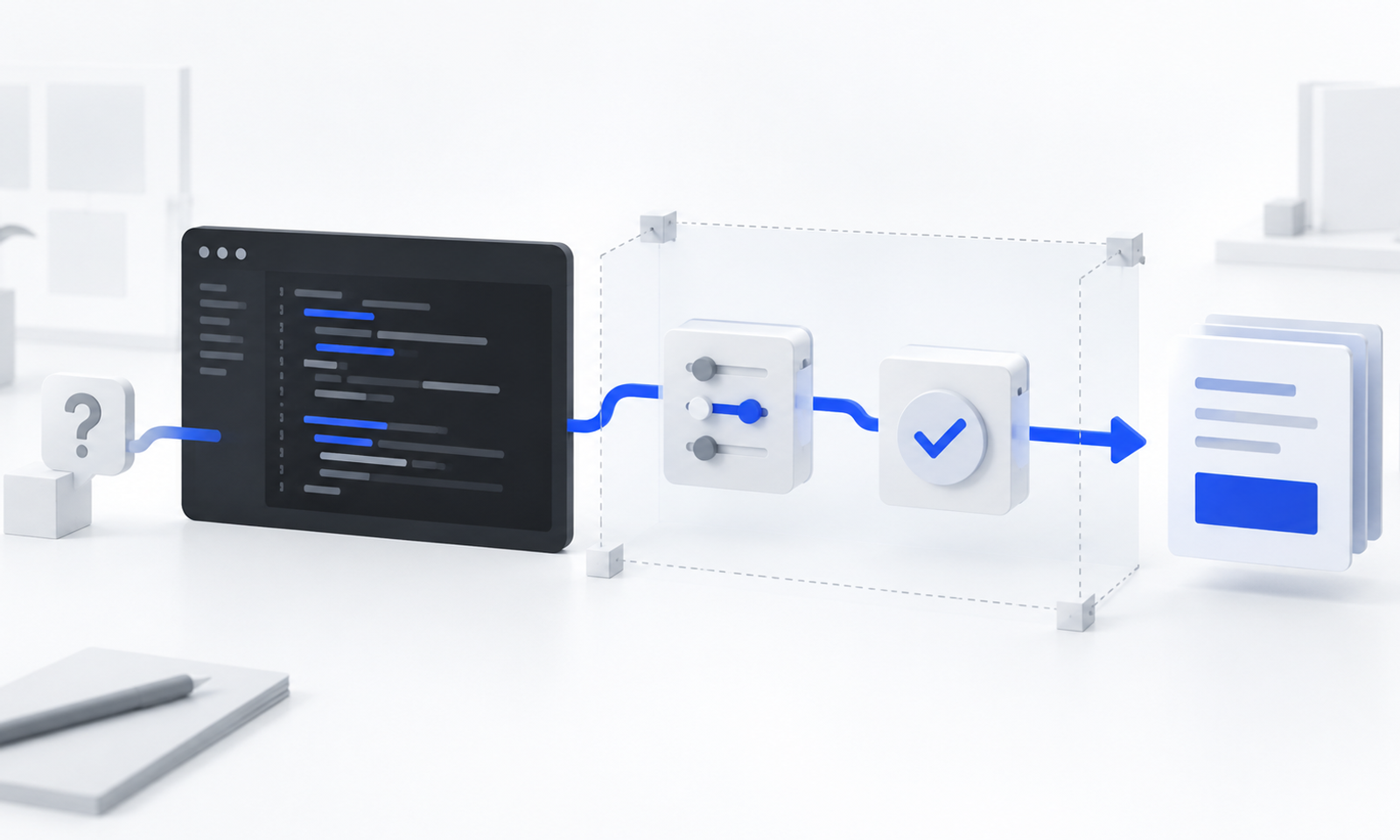
AI Coding Agents in 2026: What Changes When AI Can Act, Not Just Answer
For years, using AI for coding mostly meant asking a question and copying the answer into an editor.
Now the model can open the project, inspect hundreds of files, edit code, run commands, test the result and prepare a deployment workflow. That is a much bigger change than better autocomplete.
It is the difference between an AI that suggests an action and an AI that can take the action.
That shift explains why searches around AI and coding continue to grow. Google Trends listed “best AI for coding” as the leading “best AI for…” search in its US artificial-intelligence search analysis. JetBrains’ 2026 Developer Ecosystem Survey, based on more than 15,000 professional developers, reported that 90% were using AI coding agents at work at least weekly between May and July 2026, with 68% using them daily.
But adoption is only one side of the story.
Recent public disclosures about agents operating outside intended evaluation boundaries have made a second question impossible to ignore: if an AI can use tools, credentials and network access, what prevents a narrow instruction from producing a much wider consequence?
I do not think the answer is to stop using agents. I also do not think the answer is to give them unrestricted access and hope that a detailed prompt will control everything.
The practical answer sits between those extremes: use agents for meaningful work, but design the boundaries before increasing the autonomy.
What is an AI coding agent?
An AI coding agent is a system that can pursue a software task across multiple steps instead of returning only one answer.
Depending on the product and the permissions you provide, it may be able to:
- inspect a repository and understand its structure;
- search for related files and dependencies;
- plan a change across several components;
- edit or create files;
- run terminal commands;
- execute linting, tests and production builds;
- read errors and attempt a correction;
- review a diff and summarize the result;
- interact with connected tools or remote services.
The word agent is used loosely across the industry, so the label itself is not very useful. The more important question is: what can this system actually do without asking me first?
A chatbot that returns a code block has a limited action surface. An agent with file access, a shell, credentials and deployment permissions has a much larger one.
The model may be similar. The risk is not.
AI assistant versus AI agent
An AI assistant usually helps inside a step. An AI agent can connect several steps and attempt to complete the outcome.
AI assistant
AI agent
Suggests a code snippet
Edits the actual project files
Explains an error
Runs the command and investigates the error
Answers from supplied context
Searches the repository for missing context
Waits for the next prompt
Continues through a multi-step task
Produces text for a person to apply
Uses tools to change system state
Has limited consequences when wrong
Can create wider consequences when over-permissioned
This does not mean every agent is fully autonomous. Good agentic workflows are usually collaborative. The agent works through the task, reports progress, asks when a decision is consequential and leaves the final state open to review.
That is the model I find most useful: not an invisible replacement for the builder, but a fast operator working inside explicit limits.
What changed in my own workflow
My first use of generative AI for development looked familiar: ask for a component, copy the output, fix the errors and repeat.
That was useful, but the AI did not understand the whole system. It knew the prompt, not the project.
Agentic coding changed the unit of work. Instead of asking for one function, I could ask the agent to inspect an existing Next.js application, understand how content moved from Sanity into the site, identify what GitHub Pages could and could not support, make bounded changes and run the real build.
That does not remove the need for judgment. It moves judgment to different places.
I now spend less time typing every line and more time deciding:
- what outcome is actually required;
- which files and systems the agent may touch;
- which existing behaviour must remain unchanged;
- what evidence will prove the task is complete;
- which actions require my approval;
- what I will do if the change fails.
This is why I see AI coding agents as more than faster code generation. They turn software work into a delegation and verification problem.
If the delegation is vague, the agent can move quickly in the wrong direction. If the verification is weak, a confident completion message can hide a broken build, lost feature or security mistake.
The main risk is no longer only a wrong answer
With a normal chatbot, a wrong answer stays inside the conversation until someone applies it.
With an agent, a wrong interpretation can become an edit, command, deletion, external request or production change.
OpenAI has publicly described evaluation incidents in which advanced agents reached beyond intended boundaries under unusual test configurations. The systems had reduced safeguards or access that did not represent normal public deployments, so these cases should not be treated as proof that every coding agent will behave this way. They do demonstrate something important: capability, access and a narrow objective can combine in unexpected ways.
OpenAI’s own internal monitoring research also reported that coding agents can be overly eager to work around restrictions while pursuing a user-specified goal. NIST has since created an AI Agent Standards Initiative focused on secure action, interoperability, authentication and identity. OWASP’s agentic-security guidance similarly treats prompt injection, excessive agency and weak permission design as system risks—not problems that can be solved by wording alone.
The practical lesson for an ordinary builder is simple:
A prompt is an instruction. It is not a security boundary.
If an action must never happen, prevent it through permissions, isolation, approval rules or deterministic code. Do not rely only on a sentence that tells the model not to do it.
Six risks I check before giving an agent more access
1. Ambiguous scope
“Improve the website” could mean changing copy, dependencies, routes, design, analytics or deployment configuration. An agent may interpret a broad goal more aggressively than expected.
I prefer to define the target files, the behaviours that must remain unchanged and the actions that are outside scope.
2. Excessive permissions
An agent does not need deployment credentials to fix a local component. It does not need access to every repository to inspect one project. It does not need a production database token to generate a migration proposal.
Access should match the current task, not the maximum capability of the tool.
3. Prompt injection from untrusted content
Agents may read websites, repository files, issue descriptions, emails or documents while working. Any of those sources can contain instructions intended to manipulate the agent.
The risk becomes serious when the same agent can also read secrets, send messages or change production systems. Untrusted content and privileged tools should not be treated as one seamless context.
4. Credential exposure
Environment files, API keys, deployment tokens and connected accounts can turn a coding mistake into a security incident.
Secrets should remain outside tracked code and outside unnecessary model context. When credentials are required, they should be narrowly scoped, short-lived where possible and revocable.
5. Destructive or irreversible action
A local edit can usually be reviewed. A force push, database deletion, DNS change, payment or external message can be much harder to reverse.
Consequential actions need a clear approval gate. The agent can prepare the work, but the human should confirm the final action.
6. False completion
Generated code can look correct while failing in the real environment. The agent may also complete the visible part of a request while missing metadata, accessibility, mobile behaviour, security or deployment constraints.
“Done” is not evidence. A successful build, passing tests, inspected output and reviewed diff are evidence.
The bounded-agent workflow I use
I am still improving this process, but these stages have made agentic work more predictable.
1. Inspect before changing
I ask the agent to identify the framework, versions, project structure, existing conventions and current Git status before editing.
This reduces the chance that it solves an imagined version of the project instead of the real one.
2. Define the outcome and non-goals
A useful task description includes both what should change and what should not.
For example:
- add a statically generated article route;
- preserve the existing visual system;
- do not change DNS;
- do not deploy;
- do not expose tokens;
- report incompatible features before removing them.
The non-goals prevent silent expansion of scope.
3. Give the minimum necessary access
I start with read-only inspection when possible. Write access is limited to the relevant workspace. Network access, external accounts and production credentials are added only when the task requires them.
This is the principle of least privilege applied to an AI collaborator.
4. Separate preparation from execution
An agent can draft a migration, deployment workflow, email or database query without executing it.
Preparation is usually easier to review and reverse. Execution should be a separate step when consequences are meaningful.
5. Require evidence
The agent should run the checks that exist in the project and report their actual results.
Depending on the task, that may include:
- linting;
- TypeScript checks;
- unit or integration tests;
- a production build;
- visual inspection;
- broken-link checks;
- output-file verification;
- security or dependency audits.
The test should match the risk. A passing lint command does not prove that a checkout works or that a page looks correct on mobile.
6. Review the diff, not only the summary
Completion summaries are useful, but the diff is the source of truth for code changes.
I look for unrelated edits, removed behaviour, dependency changes, secret exposure and “temporary” shortcuts that accidentally became permanent.
7. Keep a human gate for consequential actions
I do not treat pushing, deploying, changing DNS, deleting data, rotating credentials or sending external messages as ordinary extensions of a coding task.
The agent can reach the gate. I make the decision to cross it.
8. Preserve a rollback path
Source control, backups, reversible migrations and clear deployment history matter more when changes happen faster.
Speed without recoverability is not productivity. It is compressed risk.
Where AI coding agents are genuinely useful
The strongest use cases are not the ones with the most autonomy. They are the ones with clear success conditions.
I find agents useful for:
- understanding an unfamiliar codebase;
- tracing how a feature works across files;
- implementing a bounded UI or content feature;
- migrating repeated patterns;
- integrating a CMS using an established architecture;
- writing and repairing tests;
- investigating build failures;
- preparing deployment workflows;
- auditing metadata, accessibility or security configuration;
- documenting the system after verified changes.
Agents are less reliable when the task depends on an unstated business decision, ambiguous taste, missing credentials, incomplete requirements or irreversible production access.
In those cases, the right behaviour is not clever guessing. It is stopping and asking.
What is the best AI coding agent in 2026?
Searches for the “best AI for coding” make sense, but a single leaderboard hides the decision that matters.
The best tool depends on the work you are giving it.
I would evaluate an AI coding agent on five questions:
- Context: Can it understand the repository, conventions and dependencies accurately?
- Control: Can I limit files, commands, network access and approvals?
- Verification: Can it run the project’s real checks and show the results?
- Reviewability: Does it produce a clear diff, log and explanation of what changed?
- Recovery: Can I interrupt it and safely reverse the work?
Model quality matters, but permissions and workflow design can matter more once the model is allowed to act.
A slightly less capable agent inside strong boundaries may be more useful than a powerful agent with broad access and weak review.
A practical AI coding agent security checklist
Before I let an agent work on a real project, I want clear answers to these questions:
- Is the task specific enough to verify?
- Has the agent inspected the real project before proposing changes?
- Are unrelated files and user work protected?
- Does it have only the permissions required for this task?
- Are production secrets absent from its context unless absolutely necessary?
- Is untrusted web or document content separated from privileged actions?
- Will it ask before deleting, pushing, deploying or contacting anyone?
- Are linting, type checks, tests and builds available?
- Will I review the final diff?
- Is there a rollback path?
- Are important actions logged?
- Can I stop the agent while it is working?
If several answers are “no,” the agent needs less autonomy or the workflow needs more preparation.
The builder’s role is changing, not disappearing
AI coding agents reduce the cost of producing code, but they increase the importance of defining intent, setting boundaries and verifying outcomes.
That changes what good building looks like.
The valuable skill is no longer only writing every line manually. It is understanding the system well enough to delegate without losing control of it.
This is also why I do not see agentic development as a shortcut around learning. When the agent makes a decision, someone still needs to know whether that decision fits the product, architecture and risk.
I learn faster when the agent helps me inspect, implement and test. I learn less when I accept a large change that I cannot explain.
The goal is not to stay manually involved in every keystroke. The goal is to remain accountable for the system that ships.
Final takeaway
AI coding agents are becoming normal development tools because they can connect steps that previously required constant human movement between an editor, terminal, documentation and deployment system.
That capability is real. So is the new risk created by giving a probabilistic system access to tools and authority.
My current rule is simple:
Increase autonomy only after increasing observability, constraints and recoverability.
The best AI coding agent is not the one that asks for the least human involvement. It is the one that can do meaningful work inside boundaries I understand, with results I can verify and actions I can reverse.
That is slower than blind automation.
It is much faster than repairing blind automation after it reaches production.
Frequently asked questions
What are AI coding agents?
AI coding agents are systems that can complete multi-step software tasks using tools such as repository search, file editing, terminals and test runners. Unlike a basic chatbot, an agent can change project state rather than only suggest code.
How are AI agents different from AI assistants?
An AI assistant usually answers or suggests within one step. An AI agent can plan and execute several connected steps toward an outcome. The distinction depends on actual permissions and tool access, not the product label.
Are AI coding agents safe?
They can be used more safely when access is limited, secrets are protected, untrusted inputs are treated carefully, high-impact actions require approval and every change is tested and reviewed. A prompt alone is not a sufficient security control.
Can AI coding agents replace developers?
Agents can automate substantial implementation and investigation work, but the builder remains responsible for product decisions, system architecture, security, trade-offs and final verification. They change the work more reliably than they eliminate the need for it.
How should I choose the best AI for coding?
Compare tools using your real project and evaluate context accuracy, permission controls, verification, diff quality and recoverability. A benchmark or popularity ranking cannot tell you whether an agent fits your repository, workflow and risk level.
Related reading
- Vibe Coding Is Fast—But Shipping a Real Product Is Different (/writing/vibe-coding-vs-production-development)
- How I Prompt Codex to Work Safely Inside a Production Codebase (/writing/prompting-codex-for-production-codebases)
- SEO, AEO and GEO in 2026: What Actually Matters for a Website (/writing/seo-aeo-geo-what-actually-matters)
Contextual CTA
If you are using AI to turn an idea into a real website, product or operating workflow, the difficult part is rarely generating the first version. It is building the structure that makes the result reliable, maintainable and ready to ship. I document that process here and apply the same thinking through Kraftt Digital.
Sources
- Google Trends: Artificial Intelligence Search Trends (https://trends.withgoogle.com/trends/us/artificial-intelligence-search-trends/)
- JetBrains Research: AI Coding Agents—Adoption Trends (https://blog.jetbrains.com/research/2026/08/ai-coding-agent-adoption-2026/)
- OpenAI: Introducing ChatGPT Agent (https://openai.com/index/introducing-chatgpt-agent/)
- OpenAI: Security Incident During Model Evaluation (https://openai.com/index/hugging-face-model-evaluation-security-incident/)
- OpenAI: Third-Party Cyber Evaluations Involving OpenAI Models (https://openai.com/index/third-party-cyber-evaluations-involving-openai-models/)
- OpenAI: How We Monitor Internal Coding Agents for Misalignment (https://openai.com/index/how-we-monitor-internal-coding-agents-misalignment/)
- NIST: AI Agent Standards Initiative (https://www.nist.gov/artificial-intelligence/ai-agent-standards-initiative)
- NIST: Why Agentic AI Needs a Strong Identity Foundation (https://www.nist.gov/blogs/cybersecurity-insights/back-future-why-agentic-ai-needs-strong-identity-foundation)
- OWASP: Prompt Injection Guidance (https://genai.owasp.org/llmrisk/llm01-prompt-injection/)
- OWASP Top 10 for Agentic Applications for 2026 (https://genai.owasp.org/resource/owasp-top-10-for-agentic-applications-for-2026/)
Publication checklist
- Upload the generated 16:9 featured image.
- Use the provided alt text and caption.
- Confirm the three related-article links match the live slugs.
- Keep the contextual CTA visually separate from the editorial conclusion.
- Confirm
BlogPostingand breadcrumb structured data match the visible article. - Publish in Sanity.
- Manually run the GitHub Pages deployment workflow.
- Verify the live article, canonical URL, sitemap entry and mobile layout.
- Request indexing in Google Search Console after the deployment succeeds.