Prompting & Systems
50 Best 80s & 90s AI Image Prompts 2026 (Copy-Paste)
AI-generated 80s and 90s photos are everywhere, but getting a convincing retro image takes more than adding film grain. Here are 50 copy-ready AI image prompts for recreating vintage portraits, college memories, Bollywood-inspired looks, weddings and more.
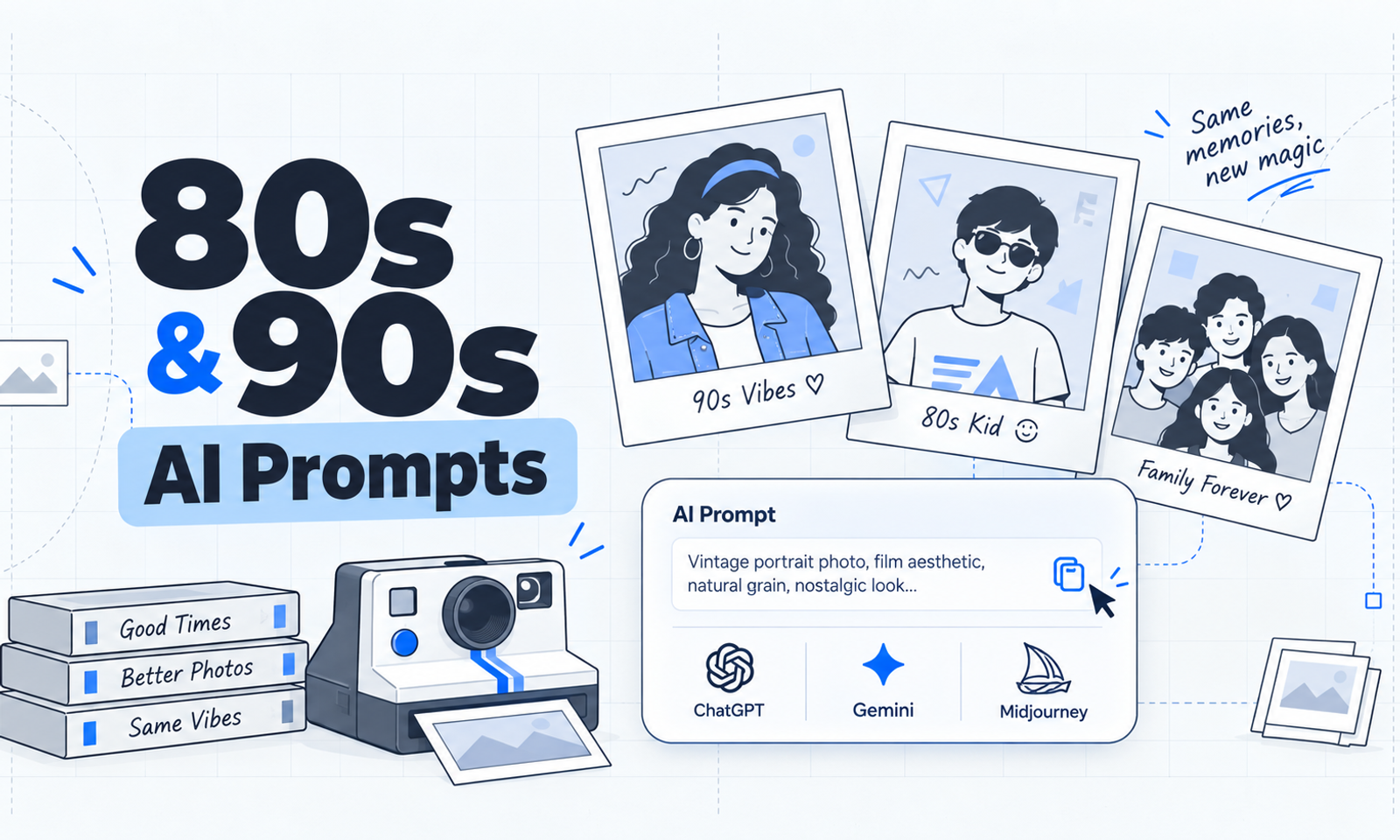
50 Best 80s & 90s AI Image Prompts for Retro Photos
There is something interesting happening with AI-generated images right now.
Instead of asking image models to create futuristic worlds, people are increasingly using them to go backwards — recreating photographs that look like they came from an old family album, a college photo from 1994 or a studio portrait from the 1980s.
And the difference between a convincing result and an obvious AI-generated vintage filter usually comes down to the prompt.
Writing:
Make my photo look like the 90s.
is technically enough to generate something.
But it gives the model too much freedom.
A stronger prompt describes the era, wardrobe, hairstyle, environment, camera, lighting, film response, composition and imperfections.
That is what makes the image feel like an actual photograph from another decade instead of a modern portrait with grain added on top.
The reference material you shared makes the same distinction: 1980s images lean toward larger hairstyles, stronger fashion choices, warm lighting and analogue softness, while 1990s imagery tends to use denim, direct point-and-shoot flash, casual settings and consumer-film realism.
Below are 50 prompts you can adapt for your own photos.
The Retro AI Prompt Formula
Before getting into the prompts, this is the structure I recommend using:
Reference + Decade + Identity + Wardrobe + Environment + Lighting + Camera + Film + Imperfections + Exclusions
For example:
Use the uploaded photograph as the identity reference. Recreate the person in a mid-1990s setting while preserving their recognizable facial features and proportions. Use casual denim clothing, a simple indoor background, direct point-and-shoot flash, consumer 35mm film, slightly cool colour reproduction, subtle grain and imperfect framing. Remove smartphones and other modern objects.
This works better because every part of the photograph is being defined.
What to specify
Identity
Ask the model to preserve facial structure, skin tone, hairstyle characteristics and proportions when you want the person to remain recognizable.
Era
Write the actual year or decade:
- 1985
- late 1980s
- 1994
- 1998
- early 90s
Camera
Useful references include:
- 35mm film camera
- consumer point-and-shoot
- disposable camera
- instant camera
- compact flash photography
- studio film photography
Imperfections
Real photographs are rarely perfect.
Try:
- slight motion blur
- subtle film grain
- mild overexposure
- imperfect framing
- soft corners
- flash falloff
- natural red-eye
- faded colours
The original guide also recommends keeping film grain restrained and checking generated results for altered facial features, hands, logos, text and modern objects.
80s AI Image Prompts
1. What Would I Look Like in the 80s?
Use my uploaded photograph as the identity reference. Recreate the same person in 1986 while keeping the face, skin tone and proportions recognizable. Give the subject authentic 1980s hair, period clothing and understated accessories. Use warm studio lighting, a slightly soft 35mm lens, natural analogue grain and the colour response of a printed photograph from the decade. Avoid modern styling.
2. 1980s Family Album
Transform the uploaded image into a casual family photograph taken around 1985. Preserve everyone's recognizable features. Place them in an ordinary living room with wooden furniture, patterned curtains and period-appropriate decorations. Use direct camera flash, warm consumer-film colours, subtle grain and slightly imperfect composition.
3. Classic 80s Studio Portrait
Recreate the subject as though they visited a portrait studio in the late 1980s. Preserve identity. Use voluminous period hair, formal clothing, a neutral studio backdrop, soft key lighting and gentle film diffusion. Make the final image resemble a professionally printed 35mm portrait.
4. 80s Indian Cinema-Inspired Portrait
Reimagine my uploaded photo as a fictional 1980s Indian cinema publicity portrait. Keep the person clearly recognizable without copying any real actor. Use expressive period styling, rich fabric, vintage jewellery, dramatic studio lighting, warm analogue colours and subtle grain.
5. 1980s Wedding Photograph
Convert the uploaded photograph into a candid Indian wedding photo from the 1980s. Preserve the person's identity. Add era-appropriate formal clothing, floral stage décor and warm indoor lighting. Photograph the scene with direct flash and slightly faded 35mm colours.
6. 80s College Portrait
Recreate the uploaded person as a college student photographed in 1984. Preserve facial features and proportions. Use period clothing, a simple campus wall, slightly formal posture and natural expression. Add warm film colour, direct flash and mild grain.
7. 80s Street Fashion
Transform the subject into a late-1980s street-fashion photograph. Preserve identity. Use high-waisted trousers, an oversized patterned shirt, retro sneakers and era-appropriate sunglasses. Place vintage vehicles and storefronts in the background. Capture everything with documentary-style 35mm photography.
8. 1980s Bedroom Snapshot
Turn my uploaded image into a casual bedroom snapshot from 1987. Keep the subject recognizable. Add cassette tapes, a cassette player, CRT television, posters and period bedding. Use compact-camera flash, slight underexposure and believable analogue grain.
9. 80s Road Trip
Recreate the uploaded image as an 1980s road-trip photograph. Place the subject beside a period vehicle holding a folded paper map. Use casual travel clothing, late-afternoon sunlight, consumer-film softness and imperfect family-photo framing.
10. 1980s Beach Holiday
Create an authentic 1980s beach-vacation photograph using my image as the identity reference. Preserve my face. Use vintage resort clothing, retro sunglasses, strong daylight and light flash fill. Add slightly faded colours, subtle grain and relaxed amateur framing.
11. 80s Sports Portrait
Reimagine the uploaded person as an athlete photographed during the 1980s. Preserve identity. Use an authentic tracksuit, high-top shoes and a simple gym or stadium environment. Add warm indoor lighting, 35mm film grain and slight motion softness.
12. 1980s Office
Transform my photograph into an office portrait taken around 1988. Keep the same person recognizable. Add a period blazer, wired desk phone, filing cabinets, paper documents and wooden furniture. Use warm fluorescent lighting and soft consumer-film texture.
13. 80s Birthday Party
Recreate my uploaded photo as a family birthday snapshot from the 1980s. Preserve identity. Add simple balloons, handmade decorations, cake and period clothing. Use direct flash, slight red-eye, warm colours and imperfect composition.
14. Simple 80s Personal Portrait
Generate a believable personal portrait from 1985 using my photograph as the identity reference. Preserve the face. Use conservative period clothing, an authentic hairstyle, simple background and soft studio lighting. Add restrained analogue grain and printed-photo texture.
15. 80s Newspaper Photograph
Recreate the uploaded photograph as though it appeared in a local newspaper during the late 1980s. Keep the subject recognizable. Use an everyday community environment, candid framing, muted print reproduction, flash photography and subtle grain.
16. 1980s Tourist Photo
Transform my image into a tourist photograph taken in the 1980s. Place the subject near a monument or roadside attraction with period clothing, a paper travel guide and a simple shoulder bag. Use daylight, direct flash and lightly faded film colours.
17. 80s Family Picnic
Turn my uploaded photograph into an authentic family picnic snapshot from 1986. Preserve identity. Add a picnic basket, thermos, blanket and period clothing in a public park. Capture the scene with warm afternoon light and natural 35mm grain.
18. 80s Music Magazine Portrait
Create a fictional 1980s music-magazine portrait using the uploaded person as the reference. Keep the face recognizable. Use dramatic period fashion, textured lighting, subtle coloured studio lights and printed-magazine grain without referencing real musicians or copyrighted branding.
19. 80s Couple Photograph
Use the two uploaded subjects as identity references and recreate them as a couple photographed in the 1980s. Preserve both faces. Use coordinated period clothing, simple posing, warm studio lighting and subtle analogue film texture.
20. 1980s Monsoon Street
Recreate my photograph as a rainy street scene from late-1980s India. Preserve identity. Add an old-fashioned umbrella, wet pavement, vintage storefronts and period vehicles. Use overcast daylight, small flash reflections and muted film colour.
21. 80s Night Out
Turn my uploaded image into a late-1980s evening snapshot outside a fictional café or cinema. Keep the person recognizable. Use period clothing, compact-camera flash, mixed neon and tungsten lighting, slight movement and realistic grain.
22. 1980s Fashion Catalogue
Recreate the subject as a model in a fictional 1980s clothing catalogue. Preserve identity. Use era-correct clothing and hairstyle, a simple studio set, even commercial lighting, mild film softness and controlled saturation.
23. 80s School Group Photo
Transform the uploaded subject into a believable school group photograph from the 1980s. Preserve the person's recognizable appearance. Use period uniforms or school clothing, classroom surroundings, flash lighting and printed-photo softness. Remove all smartphones and modern accessories.
24. 1980s Graduation Portrait
Recreate my uploaded photograph as a sentimental graduation or final-year college portrait from 1988. Preserve identity. Use slightly formal clothing, period styling, a campus background, soft side lighting and fine 35mm grain.
25. 80s Instant Camera Photo
Transform my uploaded photo into a believable instant photograph taken in 1987. Preserve the person's face and natural expression. Use casual period clothing, warm indoor flash, slightly imperfect exposure, soft focus and an authentic instant-film border.
90s AI Image Prompts
Compared with the 1980s, the 1990s usually work better when the image feels less styled.
Think everyday photographs rather than studio nostalgia.
Denim, T-shirts, malls, college corridors, bedrooms, CRT monitors, disposable cameras and direct flash are particularly useful visual cues.
26. What Would I Look Like in the 90s?
Use my photograph as the identity reference and recreate the same person in 1996. Preserve facial structure, skin tone and proportions. Use natural 1990s hair, denim or a plain T-shirt, direct point-and-shoot flash, consumer 35mm grain and slightly cool colour reproduction.
27. 90s Point-and-Shoot Photograph
Transform my uploaded image into a casual point-and-shoot snapshot taken during the 1990s. Keep identity intact. Use an ordinary street or home setting, direct flash, soft edges, mild grain and slightly awkward framing.
28. 90s Family Album
Recreate the uploaded photo as a genuine family-album print from 1995. Preserve the people and natural expressions. Use casual clothing, an ordinary home interior, direct flash, mild fading and consumer-camera softness.
29. Classic 90s Studio Portrait
Turn my image into a professional portrait from a 1990s photography studio. Preserve identity. Use simple formal clothing, restrained styling, a grey-blue backdrop and soft frontal light. Add natural 35mm colour and gentle photographic softness.
30. 90s Indian Cinema-Inspired Portrait
Reimagine the subject as part of a fictional 1990s Indian cinema photoshoot without imitating a particular actor. Preserve identity. Use period fashion, expressive posing, warm studio lighting, analogue colours and subtle grain.
31. 90s College Candid
Recreate my uploaded photograph as an ordinary 1990s college snapshot. Preserve my face. Add jeans, a simple T-shirt, backpack and campus corridor. Use consumer point-and-shoot flash, natural posture and modest film grain.
32. 90s Denim Street Photo
Transform the uploaded person into a street photograph from 1997. Preserve identity. Use denim jeans or jacket, simple sneakers and a background with period vehicles and shops. Add direct flash and slightly faded consumer-film colour.
33. 90s Bedroom
Recreate my image as a candid bedroom photograph from the 1990s. Preserve facial identity. Add a CRT television, wired headphones, CDs, magazines and period bedding. Use direct flash and subtle consumer-film grain.
34. 1990s Road Trip
Turn the uploaded photograph into a late-1990s road-trip snapshot. Keep the person recognizable. Place them beside a period car at a roadside stop wearing casual denim. Use compact-camera flash, mildly cool colours and simple composition.
35. 90s School Portrait
Transform my uploaded photograph into a believable school portrait from 1994. Preserve identity and proportions. Use simple clothing, a neutral studio backdrop and straightforward school-photography lighting.
36. 90s Birthday Party
Recreate my uploaded photo as a birthday party photograph from the 1990s. Keep the person recognizable. Add balloons, cake and casual period clothing. Use compact-camera flash, slight red-eye and imperfect family-album framing.
37. 90s Wedding Photograph
Recreate the uploaded person as part of a 1990s wedding album. Preserve identity. Use period wedding clothing, floral decorations, formal posing and direct indoor flash. Add slightly warm 35mm film colours.
38. 90s Travel Photograph
Turn my image into a vacation photograph taken during the 1990s. Preserve identity. Place the subject at a railway station, landmark or tourist location with printed tickets or brochures. Use flash mixed with daylight and mild analogue grain.
39. 90s Sports Day
Recreate the uploaded photo as a 1990s school or community sports-day photograph. Keep identity intact. Use era-appropriate sports clothing, a local field, spectators in the background, modest motion blur and consumer-camera grain.
40. 90s Office Photograph
Transform my photo into an everyday office image from 1996. Preserve identity. Include a CRT monitor, wired telephone, paper files, keyboard and period business clothes. Use fluorescent lighting with slightly cool film colours.
41. 90s Youth Magazine
Recreate the subject as part of a fictional 1990s youth-magazine photoshoot. Preserve the face and proportions. Use casual period fashion, simple studio lighting, restrained 35mm grain and slightly compressed print colours.
42. 90s Shopping Mall
Transform my photograph into a candid mall snapshot from 1995. Preserve identity. Use denim clothing, simple shopping bags, fluorescent mall lighting and point-and-shoot flash. Keep the image slightly imperfect and spontaneous.
43. 1990s Beach Snapshot
Recreate my uploaded image as a 1990s beach holiday photograph. Keep the person recognizable. Use casual resort wear, period sunglasses, harsh daylight, flash fill, mild overexposure and natural film grain.
44. 90s Winter Portrait
Turn the uploaded photograph into a winter snapshot from the 1990s. Preserve facial features. Use a puffer jacket, knitwear and simple urban surroundings. Photograph it on a cloudy day using compact-camera flash and cool analogue colour.
45. 90s Couple Snapshot
Recreate two uploaded subjects as a couple photographed casually in the 1990s. Preserve both identities. Use denim and simple casual clothing, direct flash, point-and-shoot framing and realistic background clutter.
46. 1990s Festival Photograph
Transform my image into a local festival snapshot from the 1990s. Preserve identity. Use period clothing, a small fairground or event stage, disposable-camera flash, mild motion blur and subtle grain.
47. 90s Railway Station
Recreate the uploaded subject at a railway station during the 1990s. Keep the person's appearance recognizable. Add a simple travel bag, printed ticket, period signage and direct flash photography with muted colours.
48. 1990s Monsoon Street
Turn my photograph into a rainy street snapshot from the 1990s. Preserve identity. Add an umbrella, wet roads, older storefronts and period vehicles. Capture the scene with a consumer film camera and direct flash.
49. Late-90s / Early-Y2K Transition
Recreate my uploaded photograph as a portrait taken in 1999. Preserve identity. Use relaxed denim, minimal metallic accessories and slightly experimental late-90s fashion. Add compact-camera flash and restrained grain while avoiding obvious 2000s styling.
50. 90s Best-Friends Photograph
Use two uploaded people as identity references and recreate them as friends photographed casually in the 1990s. Preserve both faces. Use simple everyday clothing, an ordinary bedroom or street, point-and-shoot flash, natural clutter and imperfect framing.
How to Make Retro AI Images Look More Realistic
After experimenting with prompt structures generally, one pattern is clear: specificity beats adjectives.
Instead of adding five variations of the word "vintage", tell the model what produced the vintage appearance.
For example:
Weak
Make this super vintage and nostalgic.
Better
Shot on consumer 35mm film with direct compact-camera flash, mild grain, slightly soft corners, imperfect exposure and faded colour reproduction.
The second prompt gives the model photographic instructions rather than an abstract mood.
Preserve Identity Carefully
When you're editing a photograph rather than generating a completely fictional character, explicitly mention identity.
Use language such as:
Preserve recognizable facial structure, skin tone, proportions, expression and defining characteristics from the uploaded reference.
You can also tell the model what not to modify:
Do not beautify, reshape or substantially alter the person's facial features.
Identity preservation is also specifically recommended in the source guide for retro transformations.
What Makes an Image Feel Like the 1980s?
Several visual cues work particularly well together:
- larger or more styled hair
- statement accessories
- colourful or structured clothing
- warm tungsten or studio lighting
- slightly soft 35mm photography
- visible but subtle grain
- vintage furniture and electronics
- less technically perfect photographs
Don't rely on sepia.
Actual 1980s colour photography was still colourful.
What Makes an Image Feel Like the 1990s?
For the 90s, simplify things.
Think:
- denim
- plain T-shirts
- compact-camera flash
- CRT televisions
- desktop computers
- wired headphones
- CDs
- shopping malls
- college campuses
- casual family photographs
- cooler consumer-film colour
- slightly imperfect framing
The source similarly identifies point-and-shoot flash, denim, CRT technology, mall and college locations, and consumer-film softness as strong 1990s cues.
One Trick That Improves AI Retro Photos
Change one variable at a time.
If you generate an image and something feels wrong, don't rewrite the entire prompt.
Change:
Camera
→ disposable camera
then try:
Camera
→ 35mm point-and-shoot
then:
Lighting
→ direct flash
then:
Setting
→ ordinary living room
This makes it much easier to understand what actually changed the image.
It is basically visual prompt debugging.
Before and After Carousel Idea
If you're creating these for Instagram, one of the clearest formats is:
Slide 1: Original photograph
Slide 2: 1980s version
Slide 3: 1990s version
Slide 4: Prompt used
You could also create:
1986 vs 1996
using exactly the same reference photograph.
That gives people an immediate comparison instead of showing another isolated AI image.
The original article also recommends before/after and decade-comparison formats because they make the transformation easier to understand visually.
Frequently Asked Questions
What is the 80s AI photo trend?
It involves uploading a modern photograph and using an AI image model to reconstruct it as though the photograph had actually been taken during the 1980s.
The important part is reconstruction, not simply applying a retro colour filter.
What is the 90s AI photo trend?
It is the same basic idea, but with 1990s photography, fashion, environments and technology.
90s results generally look more casual than 80s studio-style transformations.
What is the best prompt for an 80s AI image?
A strong prompt should specify:
identity + year + hairstyle + clothing + environment + lighting + camera + film texture + imperfections.
That combination gives the model enough context to recreate the decade consistently.
What is the best prompt for a 90s AI photo?
Try something like:
Recreate the uploaded person in 1996 while preserving identity. Use denim clothing, natural 90s hair, a casual indoor setting, direct compact-camera flash, consumer 35mm film, slight grain and imperfect framing. Remove all modern devices.
Can I use these prompts with ChatGPT?
Yes. They are written as general image-editing instructions, so they can be adapted to AI image tools that support reference-image editing.
Can I use them with Gemini?
Yes. The same underlying prompt structure applies.
You may need to adjust wording depending on how a particular model responds.
Why does my AI image still look modern?
Usually because something in the scene breaks the illusion.
Look for:
- smartphones
- modern cars
- current fashion
- contemporary screens
- modern architecture
- perfectly retouched skin
- unrealistic cinematic lighting
- excessively clean digital photography
Removing those elements can sometimes improve the result more than adding another vintage effect.
Should I add heavy scratches and sepia?
Usually not.
Heavy scratches often make the image look like an artificial "old-photo effect."
A more realistic combination is:
subtle grain + mild fading + softer optics + imperfect exposure + era-appropriate lighting.
The shared guide similarly recommends controlled grain instead of excessive scratches or sepia.
Can AI preserve my actual face?
It can often preserve recognizable features, but the result varies by model and image.
A clear reference photograph helps, and the prompt should explicitly tell the model to preserve identity.
Always inspect the result rather than assuming facial details are unchanged.
Final Thought
What I find more interesting than the retro trend itself is what it demonstrates about prompting.
The difference between:
"Make this 90s."
and a structured photographic instruction can be enormous.
The image model isn't simply waiting for more adjectives.
It benefits from context, constraints and specificity.
And that applies far beyond nostalgic photographs.
Whether you're generating a website visual, product image, illustration or an old family-album recreation, the same principle keeps showing up:
describe the system behind the result, not just the result you want.
That's where prompting starts becoming much more useful.